
Your Mac, at your word.
An AI assistant that turns plain words into real actions in your Mac apps. It lives in the Island around your camera.
Free. macOS 14 or later on Apple silicon.

How it works
From words to done.
Call it up.
Press ⌘ ⇧ Space from any app, or point at the top of your screen to open the Island.
Ask in plain words.
Type or talk. Select some text, or double-tap ⌘ to share the front window, and Sage works with it.
It does the work.
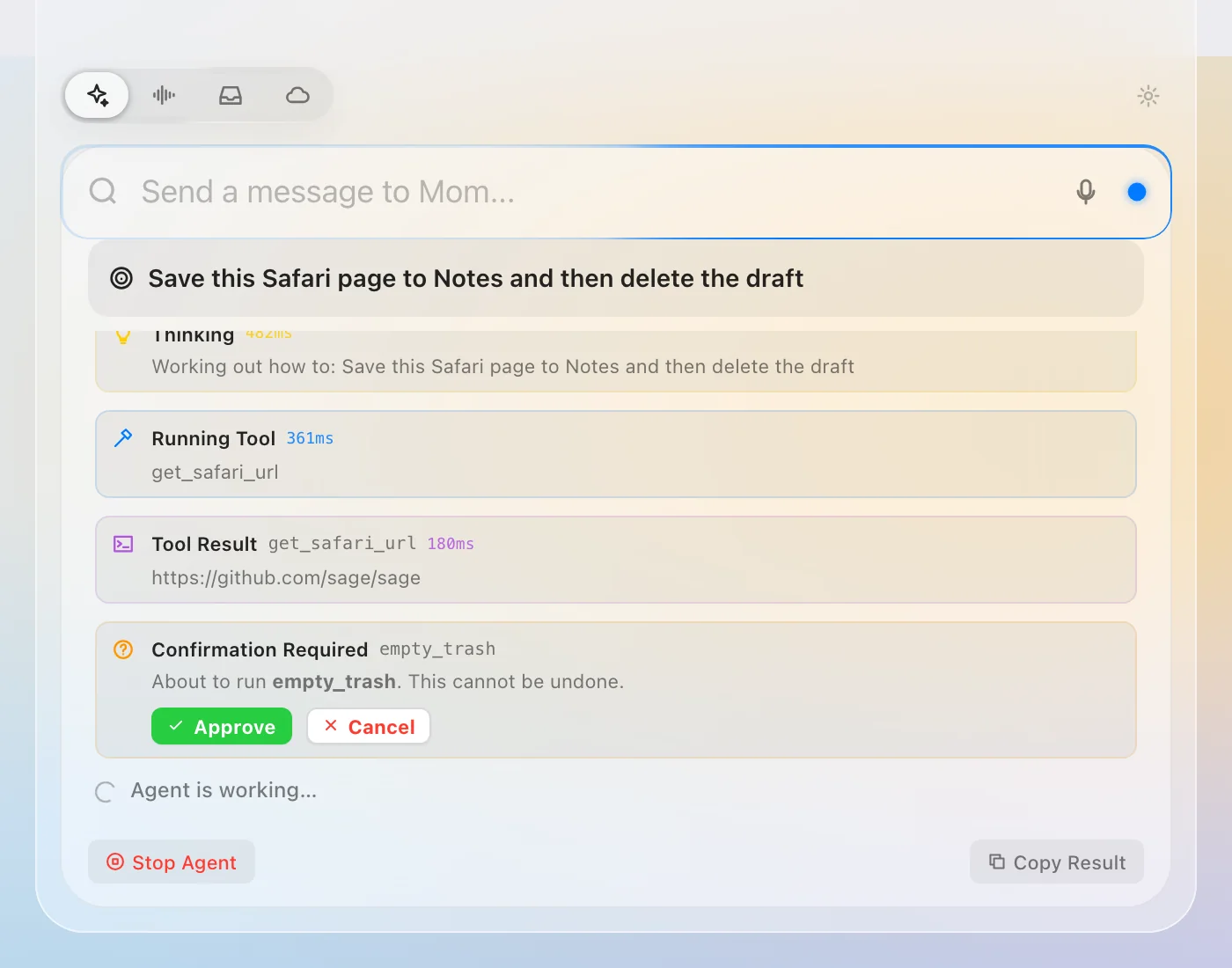
Sage uses 32 built-in tools across your apps, shows each step as it goes, and asks before anything that can't be undone.
The Island
It lives around the camera.
Point at the top of your screen and the Island opens in Liquid Glass. Move away and it tucks back around the camera cutout, showing only what matters right now.
Everything at a glance.
Now Playing for any app, your browser and Podcasts included. Keep Awake, your next meeting with a Join button, and CPU, Memory and Battery.
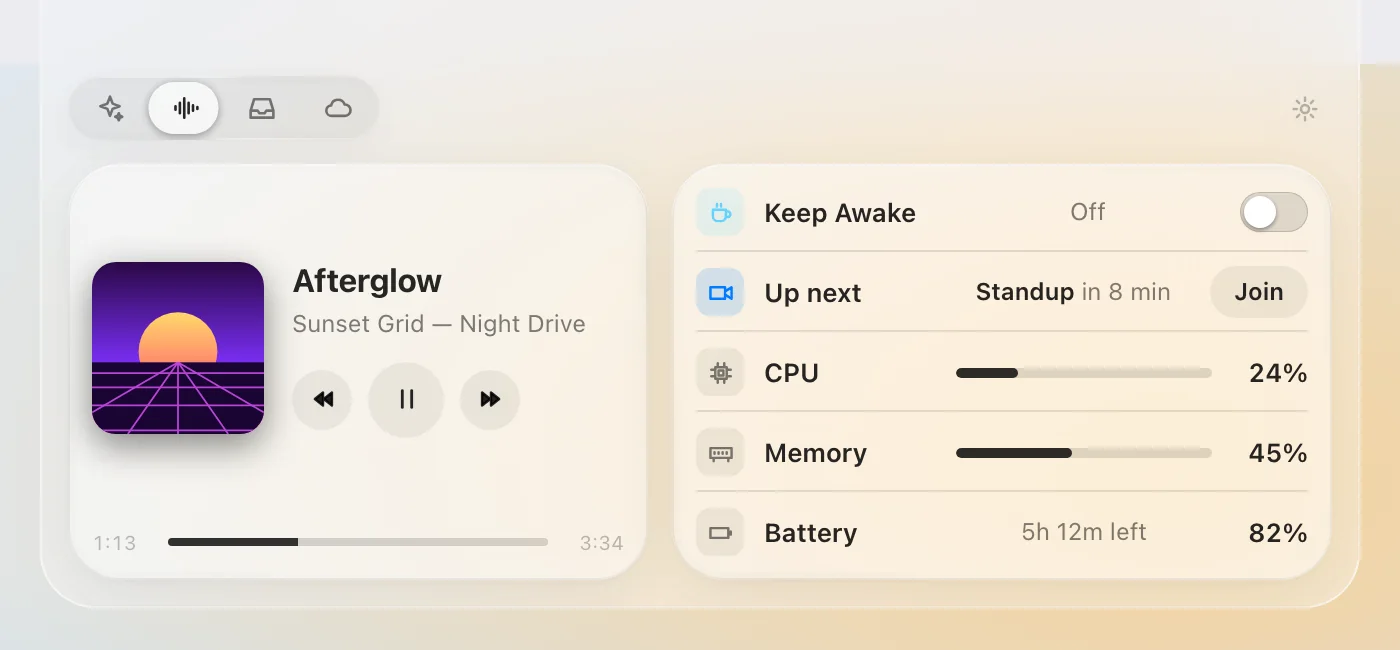

Live moments.
Plug in, a new song starts, a meeting is minutes away. The Island slides it out beside the camera, then gets out of the way.
No camera cutout? The Island becomes a slim pill at the top center.
A tray for files.
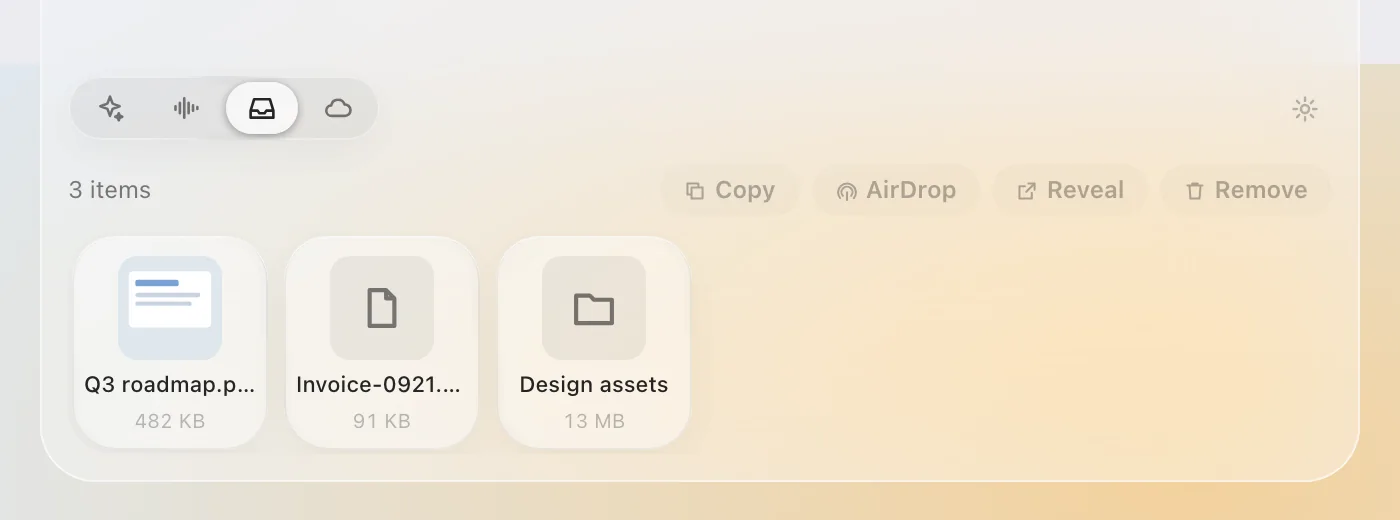
Drop files on the Island to keep them close. Copy, reveal or AirDrop them in a click.
Clipboard history, if you want it.
Off until you turn it on. Kept encrypted on your Mac, and it skips passwords and anything marked concealed.
Feels like part of macOS.
It follows light and dark mode, your accent color, Increase Contrast and Reduce Transparency, just like the rest of your Mac.
Ask. It acts.
Press ⌘ ⇧ Space and say what you want. Sage works across your apps with AppleScript, Accessibility and Shortcuts, using 32 built-in tools. Answers stream in as they are written.
Plans, acts, checks its work.
For bigger jobs the agent thinks, runs a step, looks at the result and corrects course until it is done.
Stops before anything risky.
Deleting, sending or anything that can't be undone waits for your approval.
Sees what you see, when you ask.
Double-tap ⌘ to hand Sage the front window, then ask about it.
Talk instead of typing.
Your voice is transcribed on your Mac with Apple Speech.
- “Remind me to call the dentist at 4 PM”
- “Summarize the text I have selected”
- “Set the volume to 50%”
- “Check my calendar and draft an email to my first meeting”
Runs on your ChatGPT subscription.
Sign in with a code, then pick the model and how hard it thinks. No API key and no per-token bill.
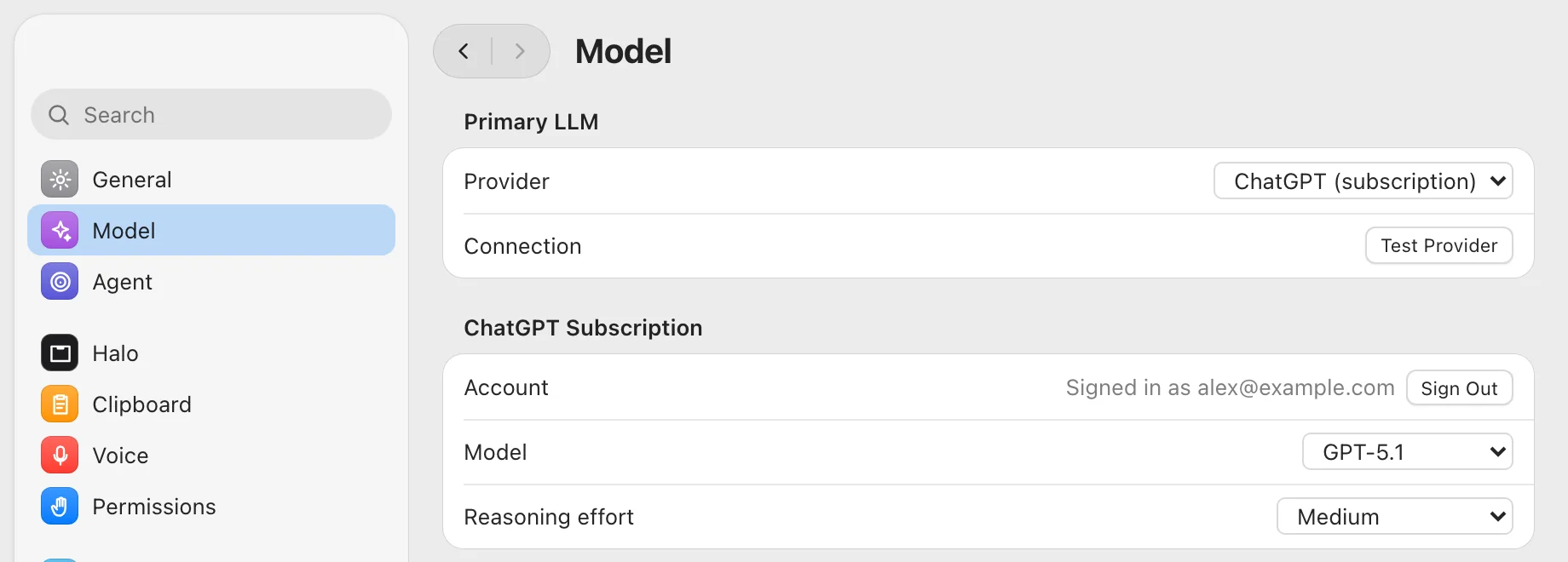
Prefer to stay fully local? Point Sage at Ollama on your Mac. Gemini and OpenAI API keys work too, and every key is kept in your Keychain.
Keeps going while your Mac sleeps.
Optionally run the Sage server on a machine you own and pair it with a code. It takes care of anything that has to happen on time, and you can talk to it from Telegram.
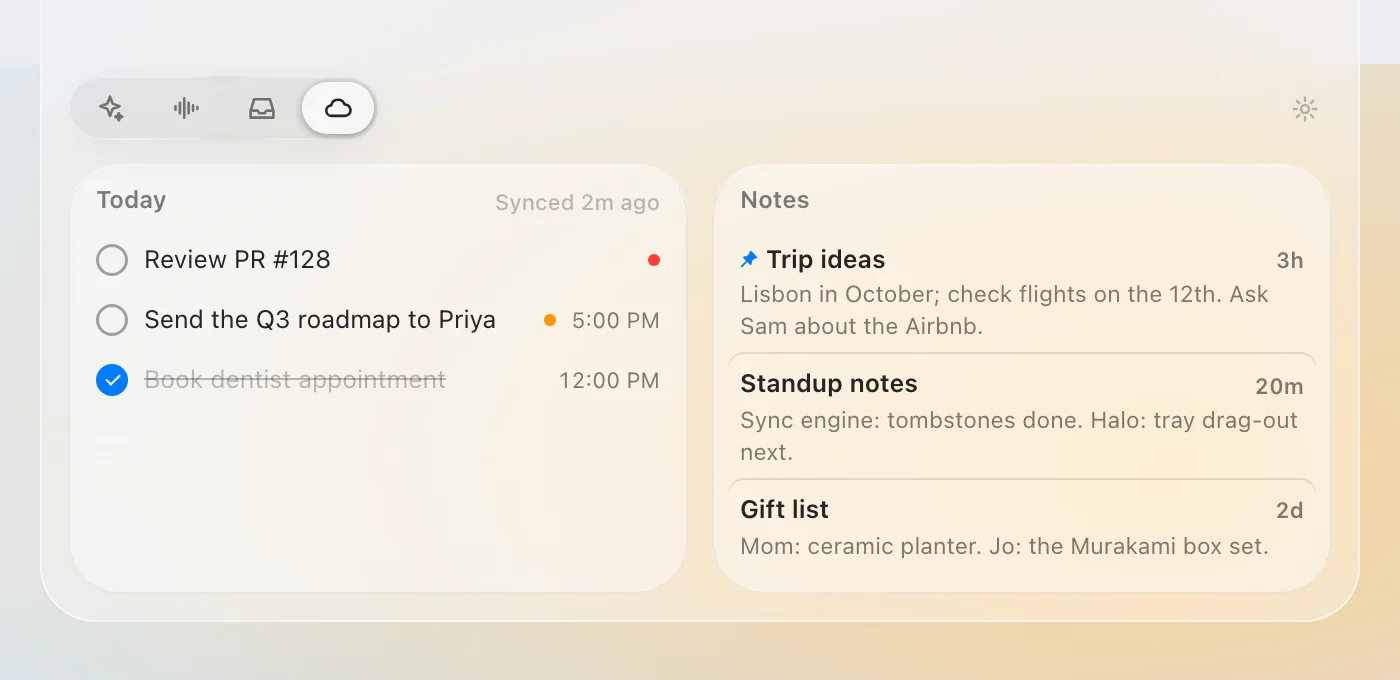
Reminders that land on time
They fire from your server and reach you on Telegram and in the Island.
To-dos that nag until they're done
Repeat them, snooze them, or tap Done right in the chat.
Notes you can reach anywhere
Jot from your phone, read on your Mac.
A daily summary
Each evening, a short look back at your day.
Page watches
Get told when a page changes, mentions something, or a price drops.
Your apps, connected.
Sign in once and Sage can read and act in the services you use, from your Mac or from Telegram. Their tokens stay on your server.
- Gmail
- Google Calendar
- Google Drive
- Slack
- Notion
- Linear
- Hundreds more through Composio, if you opt in
Telegram never touches your Mac.
The server has no way to run anything on your Mac. Screen, files and apps stay on the Mac, and only the Mac can use them.
It remembers you.
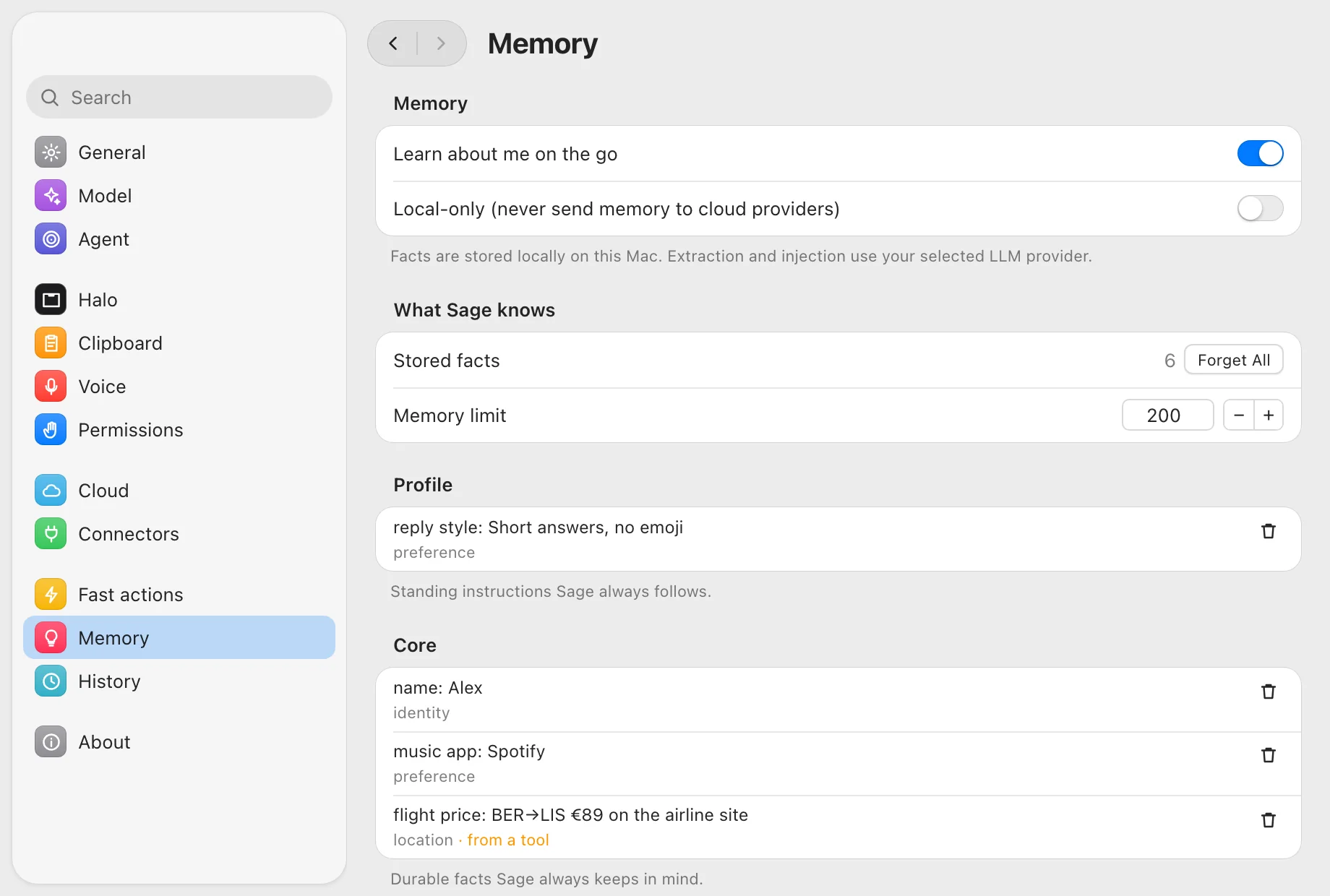
Sage keeps a short profile of how you like things, the facts that matter, and a note for each day. Every item is listed in Settings, where you can read it.
Memory lives on your Mac, and syncs only to your own server if you pair one. Delete a fact, forget everything, or switch it off.
Private by design. Careful by default.
Your screen, only on a gesture.
Sage captures a window only when you double-tap ⌘ or choose it from the menu bar.
Your voice stays on the Mac.
Speech is transcribed on your Mac.
Memory is local and optional.
Stored on your Mac, and you can turn it off.
Nothing leaves your Mac except through the model provider you choose, your own server, and two opt-ins you switch on yourself: TypeSafe fast actions and Composio.
Built to be hard to trick.
- Web pages, email and connector results are read as data, never as instructions.
- Anything risky waits for you to approve or deny it.
- With your own server: approve once, for a chat, or always, with every approval kept in an audit trail.
- With your own server: secrets live in a vault, are never shown back, and are scrubbed from history.
- API keys are stored in the macOS Keychain.
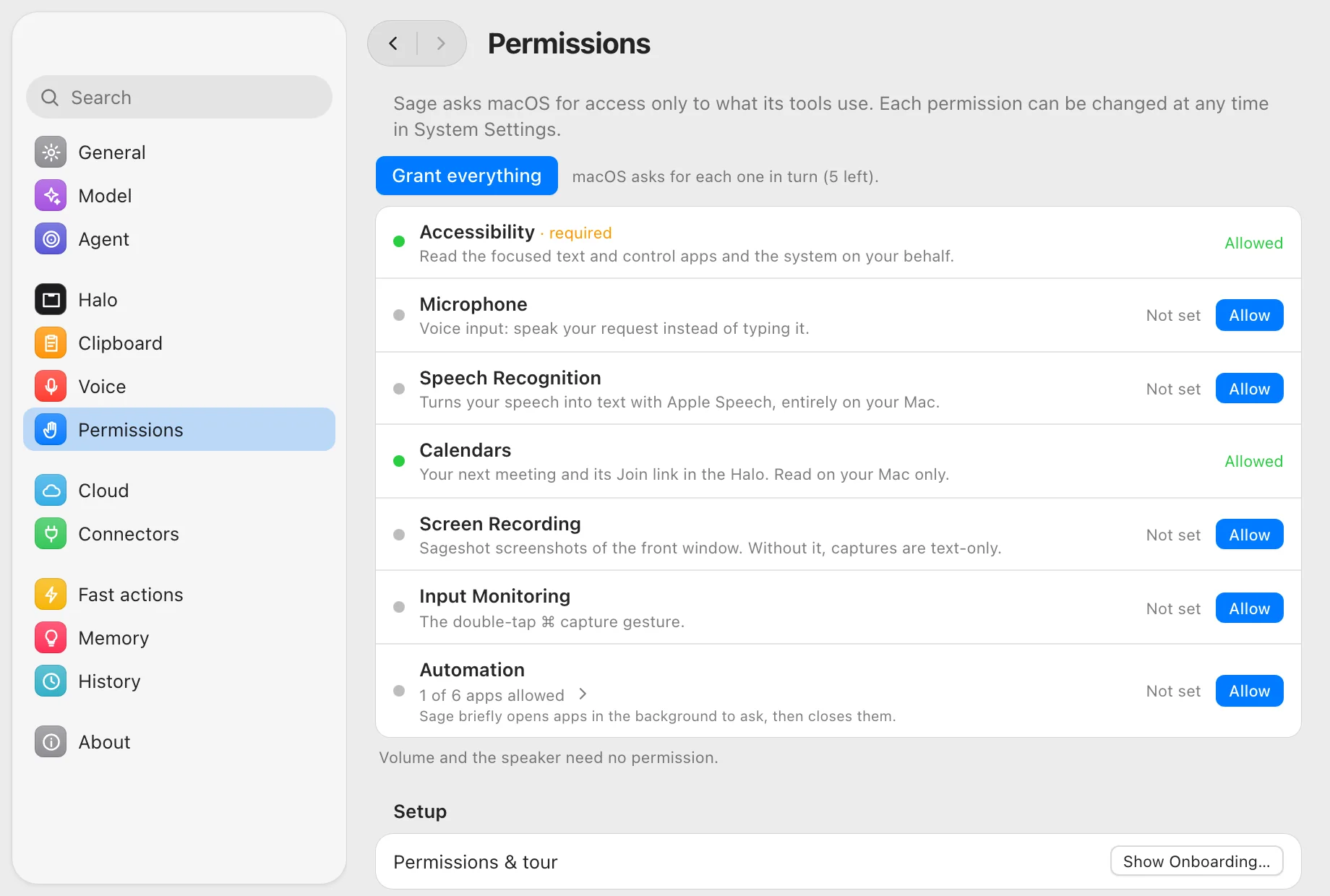
Asks only for what it uses.
Each permission says what it is for. Grant them one by one, or all at once. If you skip one, Sage keeps working with what it has.
Free, private, and yours.
Download it, drag it to Applications, and press ⌘ ⇧ Space.
macOS 14 or later on Apple silicon.